
Maplaz
Maplaz
Inizia la sfida per questo prodotto
Preferiti: 0
In coda: 0

Prompter – elgato 10WAD9901

Prompter
Prompter
Prompter
Prompter
Prompter
Prompter
Prompter
Prompter
Prompter
Prompter
Prompter

Descrizione

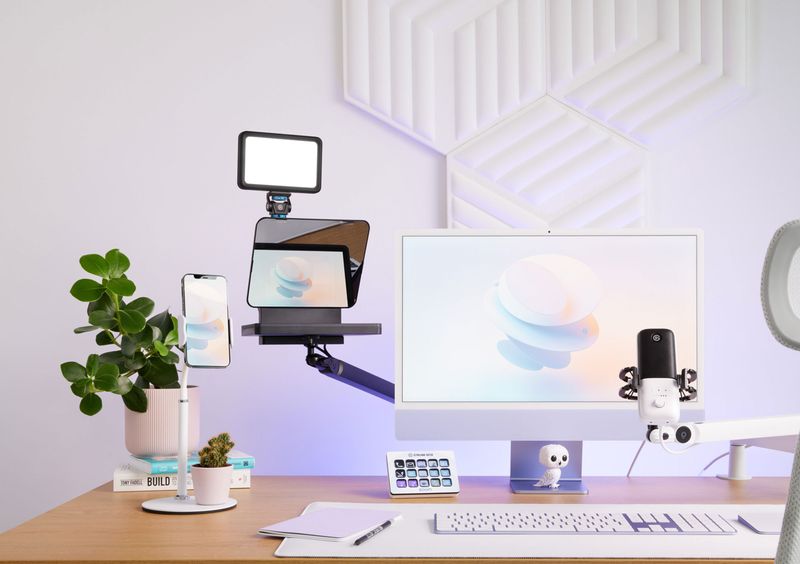
Webcam e Stream Deck. Il primo nel suo genere con display integrato.

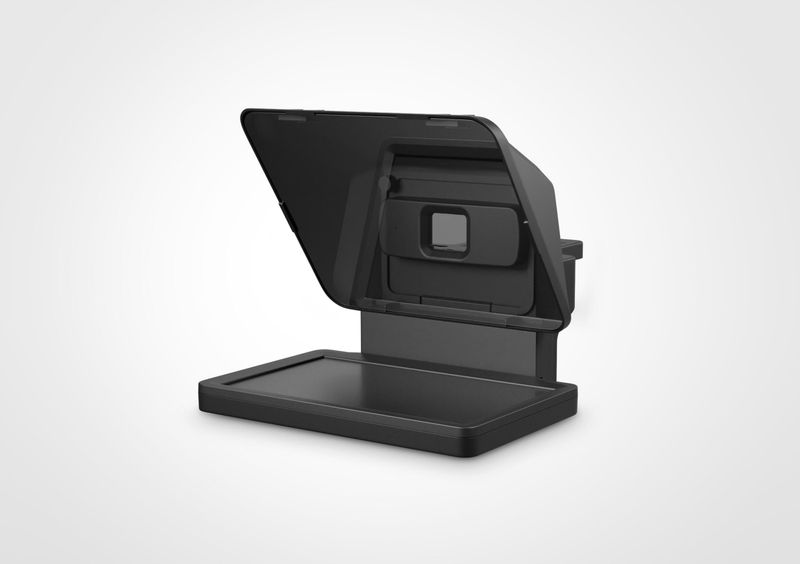
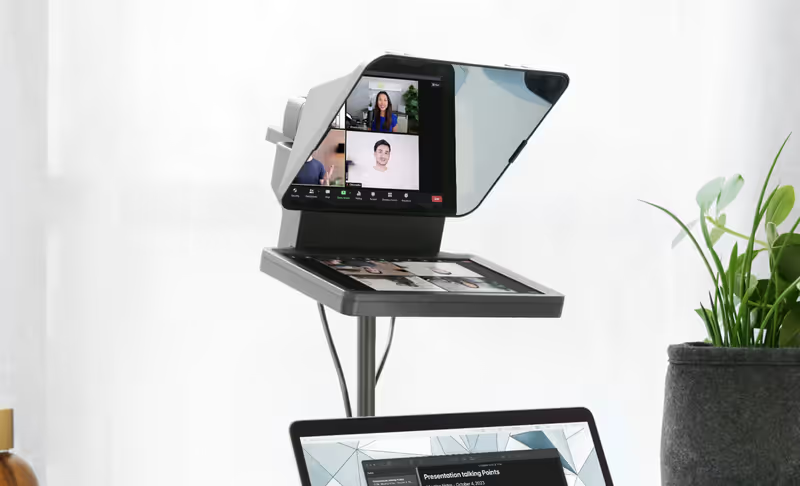
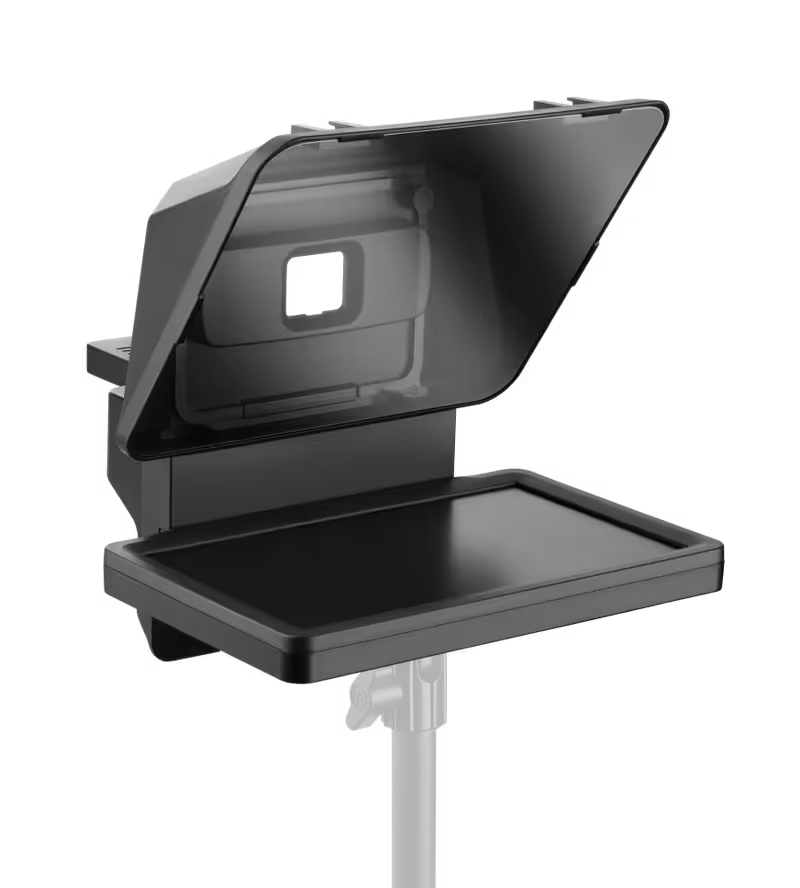
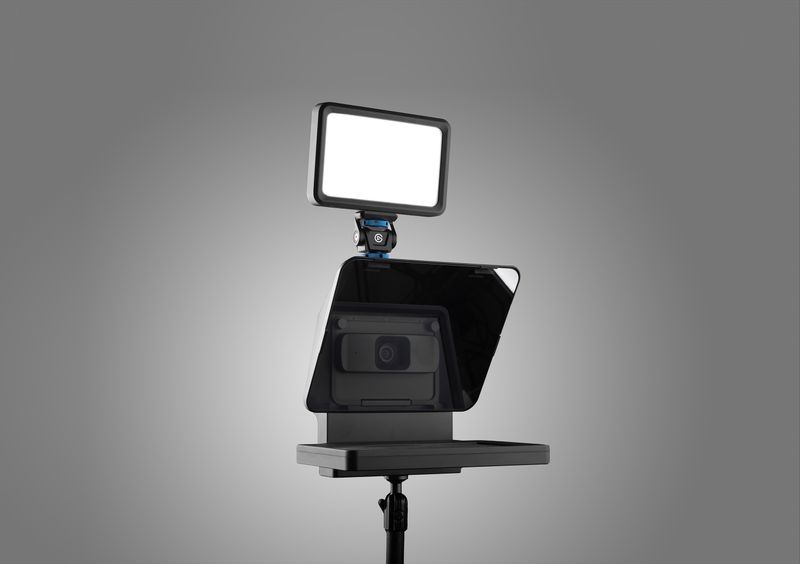
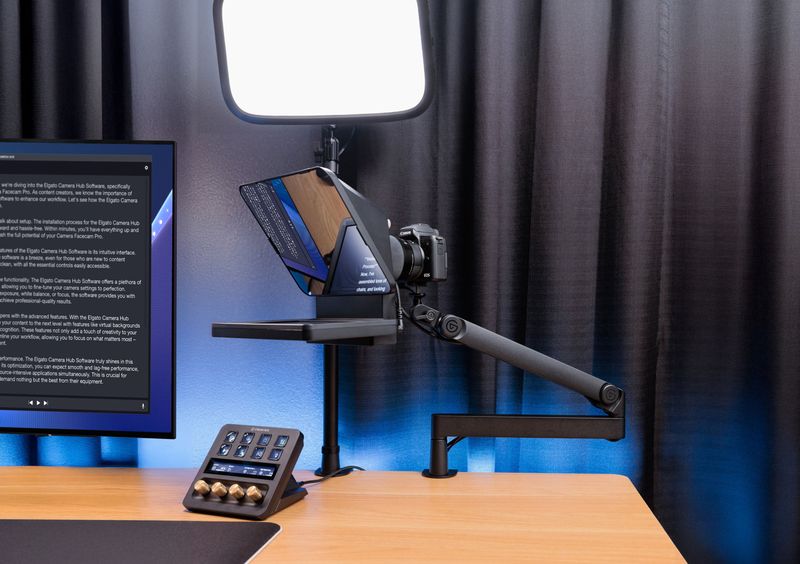
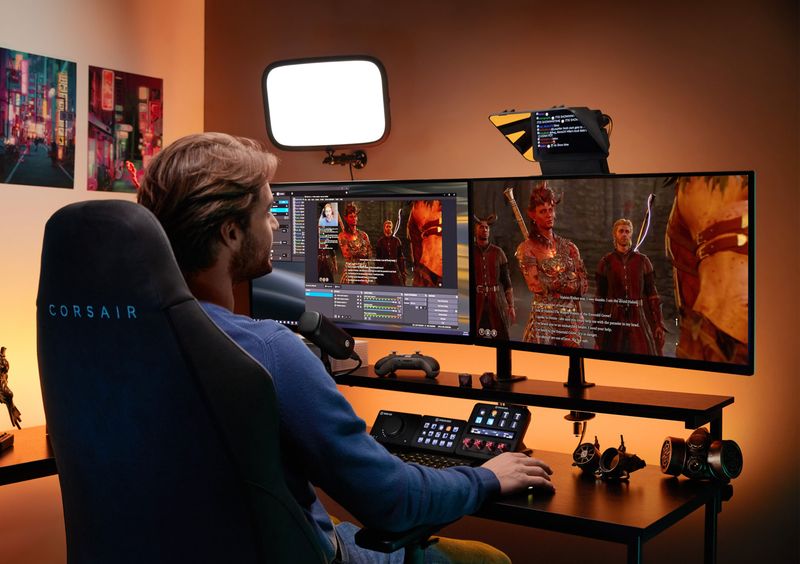
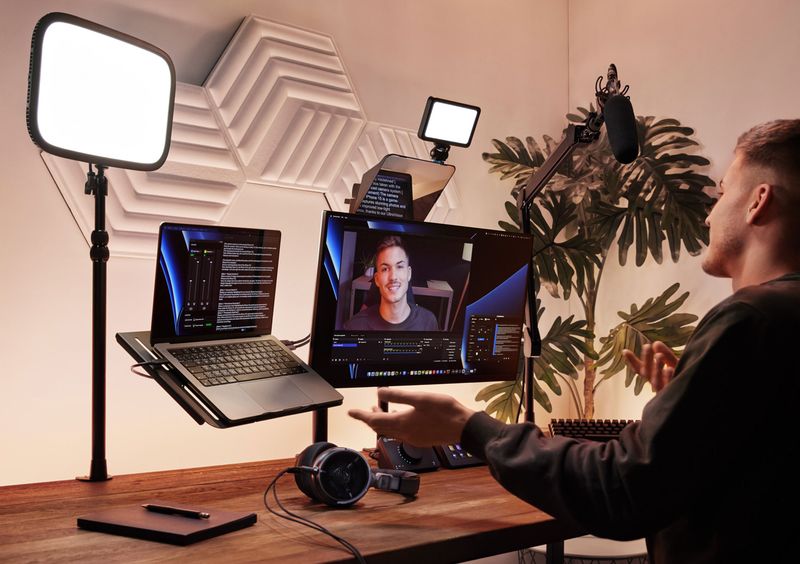
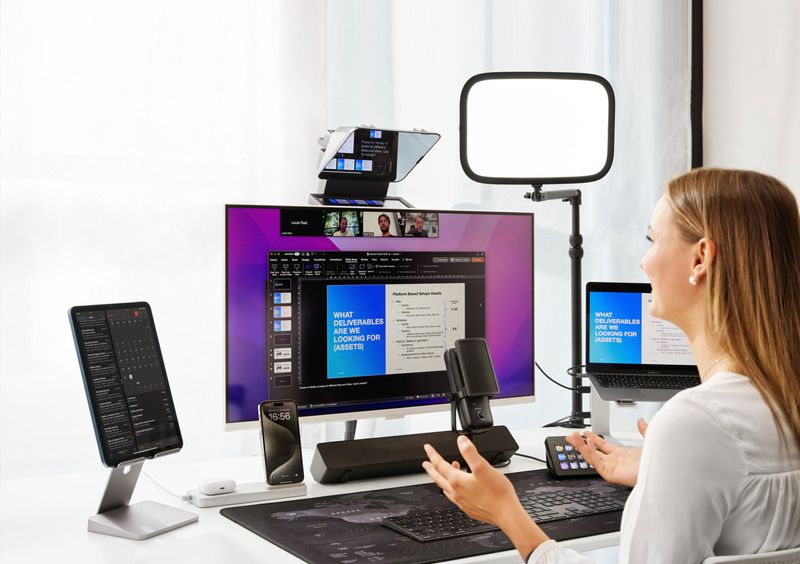
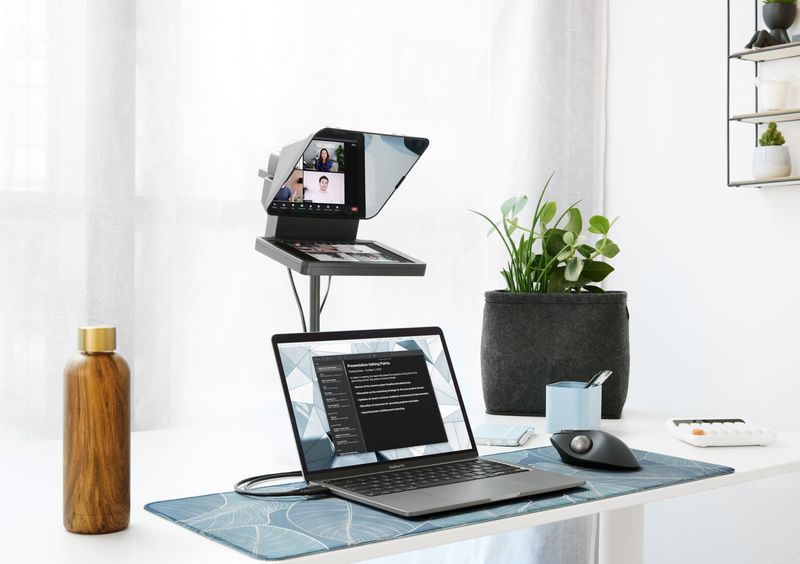
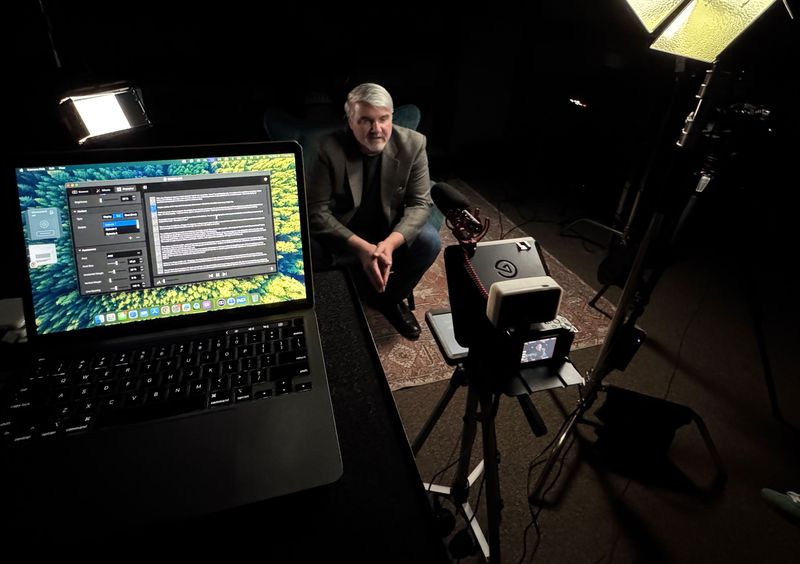
Prompter ti permette di proiettare non solo testi, leggere le chat su Twitch o partecipare alle conferenze su Zoom mantenendo un contatto visivo naturale. Ultra compatibile con fotocamere DSLR, ma anche app e finestre. Trasforma il tuo workflow video aiutandoti a mantenere il contatto visivo, Con Prompter puoi presentare script video, presentare in modo chiaro e creare contenuti più velocemente che mai.

Punti di forza
Un design essenziale che si inserisce facilmente in ambienti diversi

Feedback dei clienti
Non emergono particolari criticita ricorrenti

Inizia la sfida per questo prodotto
Preferiti: 0
In coda: 0
Prezzo medio€ 299.99
Sku10WAD9901
Mpn10WAD9901
Scopri di più sul sito ufficiale
4.9
Basato su 8 recensioni
5
88%
4
13%
3
0%
2
0%
1
0%
Ciao, hai già acquistato questo prodotto? La tua opinione aiuta altri clienti come te.
Lascia la tua recensione.
Dopo l’invio riceverai un’email. Clicca il link per confermare la pubblicazione. Grazie!
ZV
Zoe Valentini
Wir nutzen den Promter nun seit einigen Monaten auf unseren Speedrun Events. Er wird aktuell immer bei unserem Runner am Platz genutzt. Da die Software erlaubt neben dem Chat auch einen Bildschirm drauf zu werfen, konnten wir den Promter indem wir versch. OBS Scenen gebaut haben für unterschiedliche Zwecke nutzen. So konnten wir Timer, Spenden, Chat oder die aktuelle Sicht im Overlay draufpacken. Wir testen die Möglichkeit noch aus. Auch der Platz den wir sparen, da wir eine Facecam Pro einfach mit befestigen können, lässt den Platz professioneller & die Kommentatoren direkt in die Kamera schauen. In Zukunft wollen wir nun testen, wie dieser bei unseren Hosts genutzt werden kann. Für uns aber ein must have, wenn man größere Produktionen angeht.
CP
Chiara Pinna
TL;DR: Prompter WILL increase the engagement in your streams and pre-recorded content, leveling up the entertainment value of your clips if used correctly! And it's HUGE for competitive streamers who are forced to use a delay to prevent stream sniping. As a streamer who primarily goes live and doesn't create a lot of scripted content, I didn't understand the value of Elgato's Prompter immediately. But when I saw that you can easily put your Twitch chat ON the Prompter's display, it clicked. Now when I read chat, I'm looking into the camera and connecting with my audience. I've also put my camera feed on the Prompter beneath the chat (using a special OBS scene, more on that later), so when I react to messages, I know what I LOOK like and my reactions as a result have become much more funny, charismatic, and entertaining. Before I would be slack-jawed, ogling the chat text and not have a great awareness of my posture, gestures, etc. Being able to make genuine eye contact when a beloved viewer returns to the channel, or stare someone down as I rant at them in a tongue-in-cheek fashion on my stream has been huge. I have a bit of a unique use case for the Prompter, as I am primarily a poker streamer these days. I play online poker at a high level, competing with others and showing my cards for entertainment value, as I talk through the strategy of hands and want viewers to see all the action. Because of the highly competitive nature of the game and the fact that it is played for money, stream snipers are a big problem. So I'm forced to stream on a 3–5 minute delay. For obvious reasons, this can be a death knell for engagement as I am not talking to my viewers in real-time. Prompter has been so huge in mitigating the delay problem, because now when I do respond to viewers it's much more direct, genuine, and intimate. Poker viewers are used to the delay, but I know that it still is a letdown sometimes when you have to wait minutes for a response and the streamer's reaction is STILL lukewarm. Prompter helps me make it worth the wait. I would HIGHLY recommend the Prompter to any creator, but ESPECIALLY those in a highly competitive environment, streaming on delay. I took some tips from nutty (nuttylmao on YouTube) and created a scene in OBS for my Prompter. Check out his Prompter video and you'll see exactly how I created my scene, with minor tweaks to my own preferences. My Prompter Setup looks like this (pictures and screenshots attached): -Distinct scene in OBS for the Prompter - camera, chat, rule of thirds, crosshair so I know where to direct my eyes -Macros in Advanced Scene Switcher to launch the scene as a fullscreen preview on my Prompter + activate/deactivate red border on the scene so I KNOW for sure when I am live/recording -Separate, special scene for a dual stream collaboration that I do (shoutout naigo1, longest running poker dual stream on Twitch!), so that I can engage with eye-to-eye contact with my co-host (in Twitch's Stream Together) and chat, while reading chat and bantering. Prompter has been an engagement dream. Honestly, I think I'm only just beginning to unlock its potential. I'm planning to do more scripted and bespoke YouTube content, and I can't wait to see how Prompter helps me level up there as well. On a hardware note, the Prompter is quality construction. Elgato really took the time to understand the variety of camera situations here, and it shows. They've included numerous attachments to fit every kind of camera. It was a BREEZE to attach it to my ZV-E10 and get it rolling (I also purchased a Cam Link 4K to bring it all together).
DF
Daniele Fabbri
Llevo años buscando la forma de grabar sin que grabar me dé pereza, y el Prompter ha sido lo único que lo ha conseguido. Ahora me siento, cargo el guion y grabo. Lo que antes eran tres o cuatro tomas por bloque porque se me iba el hilo, hoy sale a la primera. He multiplicado la velocidad a la que saco contenido, y eso en mi caso significa publicar en lugar de dejarlo en la carpeta de "pendientes". Los acabados son de otra liga: el metal, el peso justo para que no baile, el cristal sin dobles imágenes y el parasol que mata cualquier reflejo del monitor. Se monta en segundos y se nota pensado por gente que graba, no solo por gente que diseña. En lo técnico, Camera Hub es la mitad del producto. Pego el guion, ajusto velocidad, tamaño de texto y márgenes, y lo dejo controlado desde el Stream Deck sin tocar el ordenador: play, pausa, retroceso de párrafo. La entrada HDMI es el detalle que lo cambia todo con mi Sony FX3: saco la señal limpia de la cámara al Prompter y veo el encuadre real detrás del texto, así que compruebo foco y composición mientras leo, con la mirada clavada en el eje óptico. Adiós a ese ligero desvío de ojos que delata el teleprompter. Con el FX3 y ópticas de diámetro grande el ajuste de la montura aguanta perfecto, sin vignette y sin forzar la rosca. Para quien graba a cámara a diario, es compra directa.
LB
Laura Bergamini
Desde que lo tengo mi flujo de trabajo cambió totalmente! Es mucho más fácil crear contenido para mi, o incluso para producciones donde clientes no se saben muy bien el guion y y esto lo ayuda mucho, sobre todo con la magia de voicesync que es algo INCREÍBLE!
PC
Piero Costa
When I first got my hands on this, I wasn't sure how much id use it as I don't often fully script out my videos etc However, after Testing this for a couple of months now, it's honestly been the perfect addition to my setup. Understandably Teleprompters are kind of niche and are one of those products that not everyone needs or sees the benefit in but if you're a streamer/content creator I can Guarantee you'll find Multiple uses for the Elgato Prompter. Personally I've been using it the most for reading live stream chat & Zoom meetings BUT the longer I have this product the more uses I keep finding. I've now started to use it to shoot UGC content, using it as an external monitor for my main camera or overhead shots as well as an additional display for general PC productivity. Something that has been nice to see, is the frequent updates to Camera Hub/Prompter software. At first it was missing a couple of necessary features like an on off switch or a centre marker so you know where to look when talking to a camera but Elgato have listened to community feedback and implemented most things people have been asking for. Something I would like to see though is some additional support for portrait modes or options for other chats like Youtube or Tiktok and not just Twitch but I'm sure these are things we'll probably see in future updates... The only real issues I've experienced when using this , is i'll sometimes have new windows or games randomly open on the prompter instead of my main display which isn't the Biggest issue in the world, but it is a little inconvenient sometimes lol Overall Though its a solid piece of hardware, super useful for content creators and really affordable especially when compared to competing or similar products on the market!
DF
Domenico Ferrara
[Full disclosure - I received this product for free for testing]. Teleprompters for creators is one of those "if you know, you know" type deals. If you are someone who creates a lot of post production content, with heavy scripting and longer talking head format, you've thought to yourself "Jesus almighty, there has got to be a better and more efficient ways to do this". That's what the prompter is here for. Not only is the hardware great, being cross platform on Windows and MacOS is a huge plus. The software side of things could use come work (fixes currently in beta), but overall I LOVE this device. Hardware support wise, I'd love to see better compatibility with portrait recording situations, and this is the reason I modded my prompter and 3D printing extra parts to do just that. All in all, amazing product, they knocked it out of the park, and I'm so happy with it and I almost want to get another one for a different part of the house. 10/10.
NG
Nathan Giordano
Perfekt für meine Live-Streams, damit ich in die Kamera schauen kann während ich den Chat lese und beantworte was das ganze persönlicher macht. Ideal auch um News-Videos zu produzieren, bei denen ich den optimierten Text mit Blick in die Kamera sauber vorlesen kann, was u.a. Schnittarbeit erspart.
AG
Alessandra Giuliani
Was für ein geiles Upgrade in meinem Setup 🤩 ich arbeite sehr viel mit scripte und tat mir schon immer schwer mit Text auswendig lernen, musste deshalb einzelne Abschnitte immer wieder lesen und einsprechen! Mit dem prompter ist das endlich Geschichte, jetzt kann ich mich ganz entspannt auf den Fokus der Kamera konzentrieren und nicht mehr auf den Text. Ich liebe ihn! Kann ich wirklich jedem empfehlen der seinen Blick nicht von der Kamera lösen möchte 🙏🏻💪

Il Prompter influisce sulla qualità del video?

Il Prompter di elgato non influisce negativamente sulla qualità del video. È progettato per supportare una comunicazione chiara e professionale.

Il Prompter riflette il testo e le finestre delle applicazioni?

Sì, il Prompter proietta testi, applicazioni e finestre, permettendo un flusso di lavoro video fluido e mantenendo il contatto visivo naturale con il pubblico.

Gli altri possono vedere cosa c'è sul mio schermo?

Con il software Prompter di Elgato, solo tu controlli ciò che viene proiettato. È progettato per mantenere privati i tuoi contenuti durante streaming e conferenze.

Cosa mi serve per utilizzare Voice Sync?

Per utilizzare Voice Sync con Prompter di Elgato, è necessario un microfono compatibile e il software Prompter installato sul tuo dispositivo per la sincronizzazione audio.

Richiede un software speciale per utilizzare il Prompter?

Il Prompter non richiede software speciale. È compatibile con fotocamere DSLR, webcam e Stream Deck, offrendo un’esperienza versatile e fluida.

Il prodotto Prompter richiede un'alimentazione esterna?

Il Prompter di Elgato non necessita di un'alimentazione esterna; funziona tramite connessione USB, ideale per video streaming e conferenze.

Ho bisogno di un telefono o tablet per utilizzare il Prompter?

Non è necessario un telefono o tablet per usare il Prompter di elgato. È compatibile con DSLR, webcam e Stream Deck, ideale per video professionali.

Fino a che distanza posso leggere con questo prodotto?

Il Prompter permette la lettura chiara fino a circa 2-3 metri, a seconda del testo e delle condizioni di luce, mantenendo un'interazione naturale.

Posso usare il mio telefono come fotocamera?

Il software Prompter di Elgato non trasforma il telefono in una fotocamera ma supporta DSLR, webcam e Stream Deck per migliorare la comunicazione video.

Il Prompter è compatibile con la mia fotocamera o il mio obiettivo?

Sì, il Prompter di elgato è compatibile con fotocamere DSLR, webcam e Stream Deck, garantendo versatilità per diverse configurazioni video.

Fai una domanda sul prodotto: ricevi una risposta istantanea dal nostro assistente virtuale.

Abbiamo selezionato prodotti comparabili nella categoria Videocamere: accessori, distinguendo le alternative dello stesso brand elgato e quelle degli altri marchi, per aiutarti a confrontare rapidamente caratteristiche e posizionamento.

Comparazione prodotti elgato
Prompter XL
Punti di forza

Un design essenziale che si inserisce facilmente in ambienti diversi

Feedback dei clienti

Sono presenti segnali di feedback clienti, ma senza criticita testuali ricorrenti

Elgato€ 599.99
Prompter Ring Backplate
Punti di forza

Elgato

Feedback dei clienti

Elgato€ 19.99
Prompter L-Bracket
Punti di forza

Elgato

Feedback dei clienti

Elgato€ 9.99
Prompter Mounting Screws
Punti di forza

Elgato

Feedback dei clienti

Elgato€ 4.99